
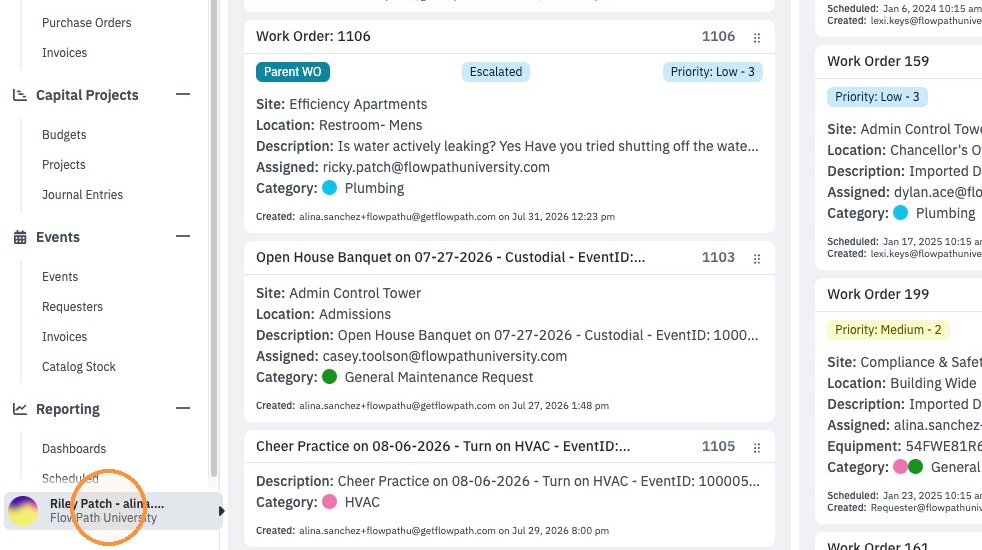
1. Admins Click on the bottom left action menu
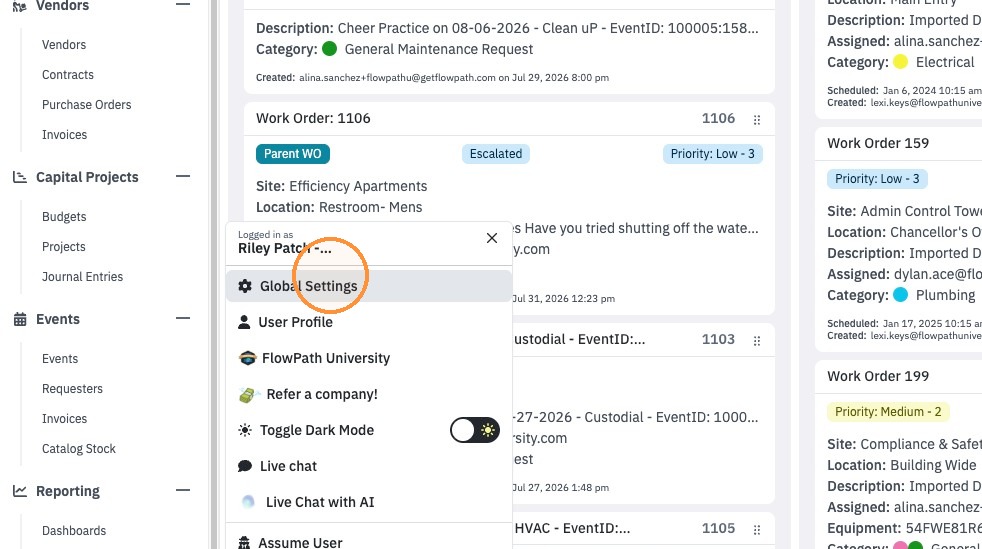
2. Click "Global Settings"
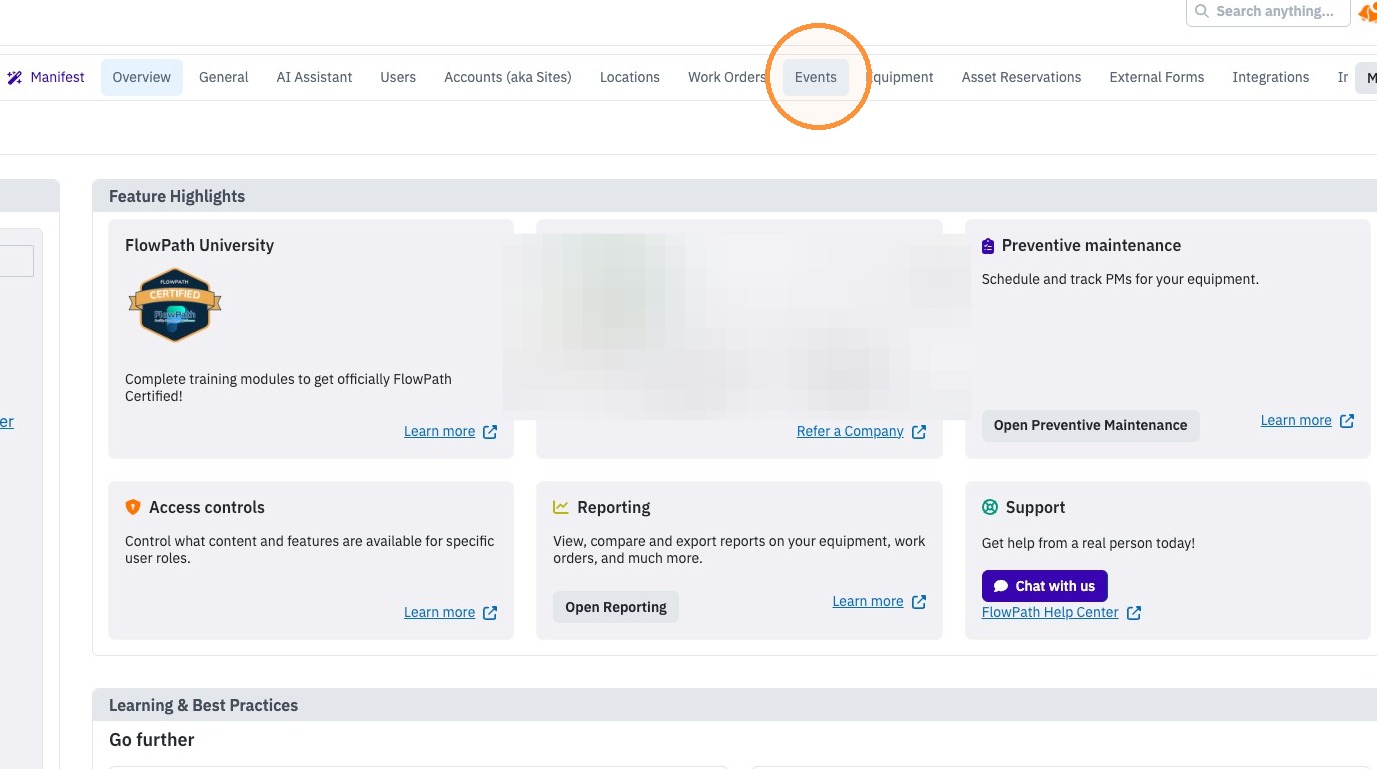
3. Click "Events" on the top tabs
4. Click on the calendar you wish to access the set up for
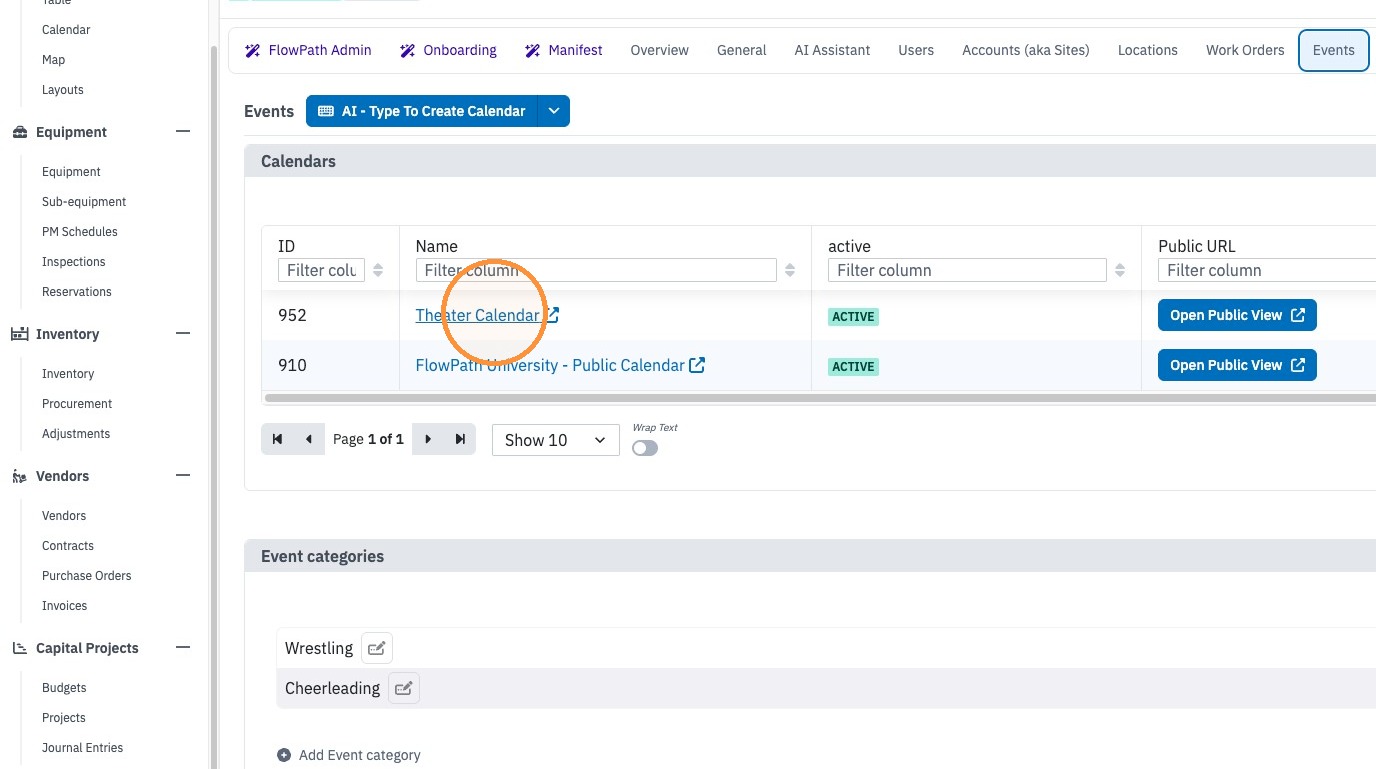
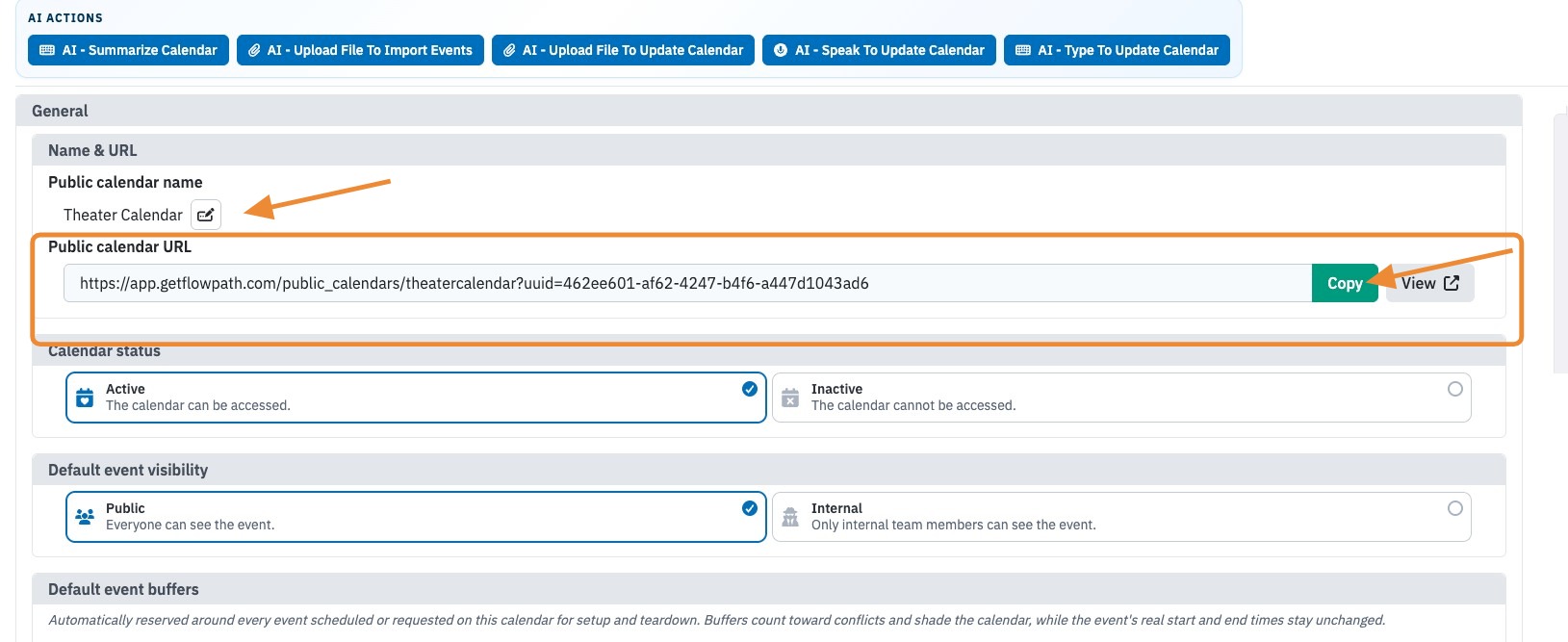
5. Here you can copy and paste the link to share or publish on the site.
1. Admins Click on the bottom left action menu
2. Click "Global Settings"
3. Click "Events" on the top tabs
4. Click on the calendar you wish to access the set up for
5. Here you can copy and paste the link to share or publish on the site.